

Welcome to Episode 12. You know how AI thinks and why it fails — now we sharpen how you speak to it.
Picture AI as a capable new teammate. Clear goals, shared terms, and real examples often beat dumping more words into the box.
Below are twelve communication habits in teaching order. You do not need all twelve today — notice which two would help your next project, and try those first.
Set the scene
The first five methods shape the opening of a prompt: who AI should be, what it should know, how you phrase the ask, how long the answer should be, and what you can show beyond typed words.

Method 1 — Role play
Open with a role: As a senior web designer… AI tilts toward layout, colour, and mobile vs desktop — without you re-teaching every design rule. Critical constraints still need plain words.
Role play is a favourite when the task has a profession behind it — teacher, editor, accessibility reviewer — not a magic guarantee of correctness.
School parallel: “Pretend you are my study coach” sets tone faster than listing every rubric line — but the rubric still belongs in the prompt when grades matter.

Method 2 — Provide context
Long projects deserve a short brief file: goals, style, tech rules, and do-not-touch areas. Paste or attach it so you do not retype the same story every session.
Episode 11 showed what happens when context is missing. Here the fix is proactive: one screen of “what this site is” beats a fresh apology each Monday.
Treat the brief like a lab handout header: audience, deadline, tools allowed, and the one sentence that must survive every revision.

Method 3 — Clear language
Chat abbreviations are fine with friends; for math, code, or business mail, spell words out. Shorter letters do not always mean fewer tokens.
Some shorthands flip meaning: UR might mean “your” or “you’re.” In a graded paragraph, ambiguity costs more than a few extra keystrokes.
Token counting is not letter counting — models chunk words differently. Clarity wins even when the prompt looks longer on screen.

Method 4 — Concise response
Ask for Keep your answer concise or Summary first, details later so the main point lands before the essay. API billing may care about length; flat chat subscriptions usually do not.
Long answers can bury the conclusion you needed for homework check number three. Ask for the headline, then ask to drill only if you still need depth.
Verbosity control is a habit, not stinginess — you are steering attention, not punishing the model.

Method 5 — Multimodal input
Show, don’t just tell: a screenshot can beat paragraphs about button placement. Pair images with source code, sizes, and limits when you edit sites — not every product accepts every file type.
When the tool allows, add audio clips, PDFs, or a URL — anything that grounds the task in real material, not memory.
Screenshots rarely expose hidden CSS or exact pixel math. Say what the image cannot show: file name, breakpoint, or “do not move the logo block.”
Terms, library, teach-back
Next block: precise vocabulary, saving what worked, and proving you understood before you march forward.

Method 6 — Professional terms
One accurate label beats vague “make it look professional.” Request KaTeX or LaTeX for equations; mention \cancel{} when you need cancelled units — and say what must stay on the page.
Saying “standard math format” does not tell AI you want diagonal strike-through on duplicate units. Name the command or package you expect.
Combine role + term when it helps: As a senior mathematics website developer, use KaTeX … preserve existing layout. Terms aim the model; constraints lock the rails.
Method 7 — Prompt library
When a prompt works, save it. Copy, tweak, and reuse fonts, aspect ratios, and “do not edit English” rules — guards against context drift in long chats.
Keep the library where you will actually use it — notes app, project folder, or one pinned doc you paste at the start of each session.
Math-site builders might store: card font, 16:9 image rule, KaTeX lines, mobile checks, and the standing “leave English pages alone” clause — one paste replaces ten forgotten reminders.
A library is not laziness — it is how you stop re-inventing the guardrails that already passed inspection once.

Method 8 — Teach back
Before the next step, restate your understanding: Let me explain my understanding. Please check whether it is correct. Sketch a tiny flow: Step 1 → Step 2 → Step 3.
Complex answers feel clear until you try to explain them aloud. Teach-back catches the half you thought you owned.
Multi-step jobs punish a shaky Step 1. Wrong direction on line one stacks errors through Step 4 — pause and fix the story before you automate the rest.
You may never need absolute certainty on every topic — but you should explain key steps in your own words and verify results that matter.
AI can misjudge its own answer. For facts, math, and tech, still use reliable sources and real tests.
Don’t just read the answer. Understand the answer.
Shared words and examples
The last four methods align language, show the target output, fence long inputs, and mix languages when that is clearest.
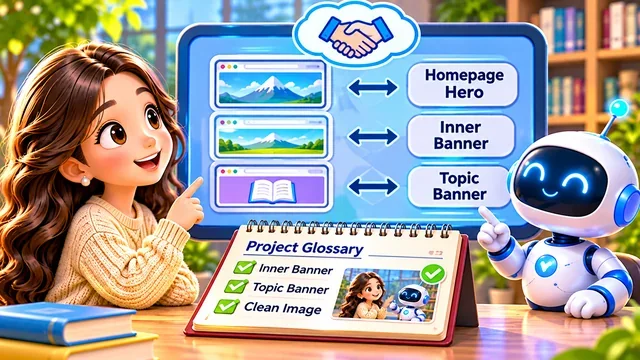
Method 9 — Shared vocabulary
If “banner” confuses the project, define Inner Banner vs Topic Banner up front. Write a project glossary and re-paste it when threads reset.
Image workflows can define Clean Image: no text, no logo, no fuzzy fill, full device visible, 16:9 — one label pulls the whole checklist.
Shared labels are not magic — new chats, trimmed context, or new tools may drop them. Keep the glossary in a file you can paste again, and ask AI to echo terms in a two-column table before big edits.

Method 10 — Few-shot examples
Show one good card layout and say “match spacing and fonts, but do not copy text.” Examples beat fuzzy adjectives like “tidier.”
Translation jobs work the same way: paste one source line and your approved target line, then ask for the next paragraph in that style.
Pair every example with a guardrail: “copy layout, not wording; never crop faces out of photos.”
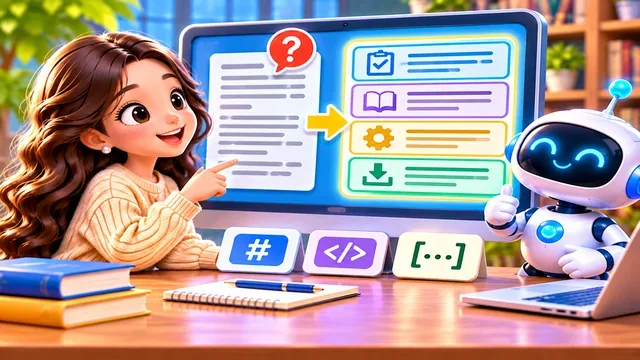
Method 11 — Delimiters
Long prompts need sections: Task, Reference, Constraints, Output. Use headings, brackets, or XML tags so reference text is not mistaken for new orders. Ask AI to echo the task before it works.
A translation brief might read: 【Task】build Chinese pages; 【Reference】English HTML below; 【Constraints】keep math and links; 【Output】file list plus spot checks.
Delimiter fences do not guarantee perfection — they cut the classic bug where a quote inside reference material becomes a new command.

Method 12 — Multilingual prompt
Use the clearest expression, not one language only: Chinese explanation plus responsive design and mobile-first is normal. State final output language when it matters.
Choose clarity over purity: bonjour and cordialement in a French-mail brief are fine when you name the exact phrases you need.
Math class version: “Explain completing the square in Chinese, but typeset formulas in LaTeX.” Mix languages where precision lives.
Define ambiguous borrowings the first time, and spell out the language policy for final deliverables.
Quality over length
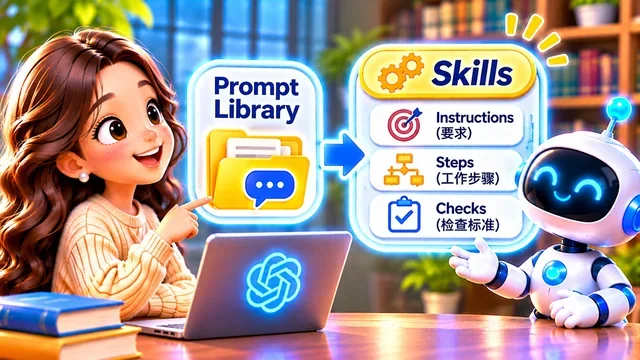
Later we will study Skills — packaging steps you repeat. For now, grow a prompt library and keep terms accurate.
Good communication is not the longest message — it is the clearest goal, context, and standard of proof.
One exact term, one screenshot, or one “summary first” line often beats a page of vague adjectives.
Next episode: managing AI work and checking results in a structured way.