

Welcome back to Kiwi 爱AI Study. Last episode traced how AI generates answers; today we ask why those answers still go wrong.
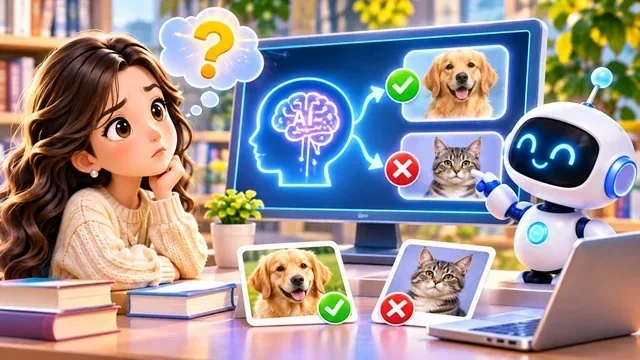
When AI keeps repeating the same mistake, do not only rewrite the prompt. Pause and ask: wrong tool? weak model for the job? missing background? too many tasks at once? did we actually verify the output?
Sometimes the fix is not another sentence in the chat — it is changing how we work.
Below we name ten common reasons AI still misses the mark. Treat them as a checklist — not ten excuses to quit, but ten places to look before you send the same prompt again.
You do not need to memorize all ten today — notice which two show up most in your projects, and fix those first.
Tools, plans, and model limits
The first three reasons live in the toolbox: product fit, account limits, and which brain you invoked.

Reason 1 — Wrong tool
AI products split by strength: writing, code, images, video. Ask one tool to do another tool’s job — even with a perfect prompt — and results wobble. Need a small edit on one object but only have full-image regeneration? The hammer is wrong, not your words.
When the same error keeps showing up, ask first: wrong tool — before you assume the model “does not understand English.”
Need surgical edits on one slide title or one code file? A chat that only regenerates whole pages is the wrong workshop — swap tools, then refine the prompt.

Reason 2 — Plan and limits
Apps like ChatGPT tier Free, Go, Plus, and Pro with different models, caps, and features. Need a long batch of images or a premium reasoning model? Your tier might stop the job before the model gets a fair try.
Hitting a limit can look like “AI failed” when the account simply cannot run that job today. Upgrading may help — but a pricier plan does not fix a mismatched tool or model.
The crown columns in the art are a reminder: check which models and daily caps your tier actually unlocks before you label the answer “low quality.”

Reason 3 — Model capability
Companies, models, and consumer apps are not the same thing. Some models answer fast; others lean toward code or long reasoning. Demanding pixel-perfect layouts from a model that cannot hold that reliably? Switch models before you tweak the prompt for the tenth time.
Episode 7’s map helps here: the same logo on the box is not the same engine inside — match the model to the job before you blame the chat window.
Layout work with fixed title boxes and logo slots? Pick a model and tool pair that accepts tight constraints — or move to template-based editing instead of full regeneration.
Context, length, and hallucination
Next trio: what you never told it, what fell out of a long chat, and answers that sound researched but are not.

Reason 4 — Missing context
“Make this webpage more beautiful” gives no colours, style, or no-touch zones. AI fills the gaps with its own guess — not because design is impossible for machines, but because your taste never arrived.
Give a sample link, hex codes, fonts, or a one-line “do not change English” rule — the same habit as Episodes 8–9, just for design briefs.
Design homework is still homework: name audience, mood, and the one thing that must survive every revision.
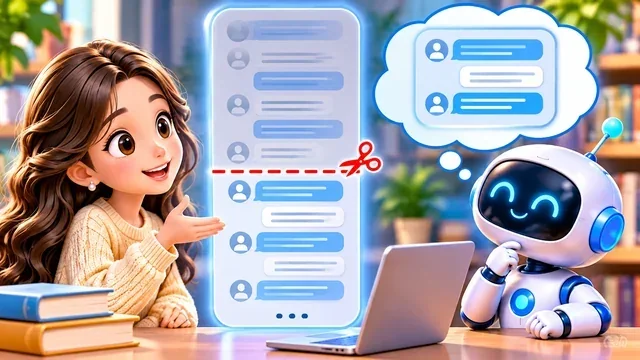
Reason 5 — Context limit
Long chats eat window space. Rules you stated early — “always 16:9 images” — may slip. Re-anchor important constraints or paste a short project-rules file.
Episode 7 introduced context as what the model can still “see.” When threads get long, treat must-keep rules like flight checklist items — paste them again at the top of the next request.
Starting a fresh chat with a one-screen brief often beats wrestling a tired thread where half your constraints fell off the log.
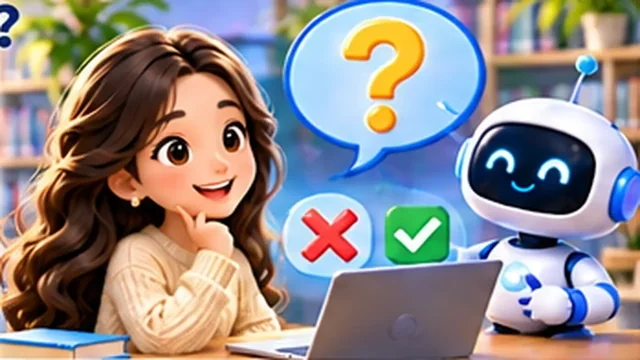
Reason 6 — Hallucination
Sometimes AI serves a smooth sentence with a fake citation or wrong number. Fluent language is not the same as checked facts. Important claims need sources you trust.
Why does it happen? Large language models are trained to keep text sounding plausible — not to stop and fact-check every line before it reaches your screen. Episode 10 showed prediction; hallucination is what prediction looks like when nobody verifies.
For reports you will submit, health questions, or “quick facts” in a slide deck, build in a second step: textbook, teacher, or a site you already trust — same pause-and-check habit as Episode 1.
Complexity, inputs, and luck
Last four reasons are about how you run the job: bite-sized steps, clean inputs, dice rolls, and proof before you celebrate.

Reason 7 — Task complexity
“Edit twenty pages, translate everything, resize images, keep English untouched” is many jobs in one breath. Use task decomposition: finish one chunk, verify, then continue.
School parallel: do not assign “translate the whole textbook tonight.” Assign “finish Section 2, show me, then we unlock Section 3.” AI projects work the same way.
Each stage should end with evidence you can repeat tomorrow — a screenshot, a diff list, or one page that passes your checklist.

Reason 8 — Input quality
Blurry photos, broken files, or bad source data poison outputs. Fix the inputs before you blame the model — like a math problem with wrong givens.
OCR on a crooked photo, a ZIP missing half its files, or a spreadsheet with merged cells — garbage in still means garbage out, even with a flashy model name on the box.
Quick habit: spend one minute cleaning the source, then send the prompt. You will spend less time arguing with “AI does not listen.”

Reason 9 — Variability
Run the same prompt twice and you may get different stories or images. Generative systems often sample probabilistically — sameness is not guaranteed.
That is normal for creative drafts — pick the version you like, or set stricter constraints. It is not normal to ship homework or production work without comparing the two runs.
Reason 10 — No verification
“Done!” in the chat is not done in real life. Check math, open the site, run tests. Generating is not verifying.
Episode 13 will turn this into a full workflow; for now, remember that green checks in the UI are mood lighting — your eyes on the real file are the inspection.
Turn reasons into habits
Naming why AI fails is step one toward better workflows. Next episode we practise saying what we want so clearly that fewer of these traps trigger.
Skim the ten reasons in plain language: tool · plan · model · missing context · long chat · hallucination · big task · bad input · random output · no verify. One line on a sticky note is enough to break a repeat-error loop.
Keep a personal short list: tool fit, context file, model choice, staged tasks, and verify before you ship.
When errors repeat, change method — not only wording.