

Welcome to Episode 6. Last time we asked where AI lives—on screens you tap, or in robots and cars you can see. Now a bigger question: has AI already entered daily life?

The honest answer is yes, and you probably use it more than you notice. Face unlock must recognize your face; map apps read traffic and roads to plan a route. No chat box required.
That matters because many people still picture AI only as ChatGPT. Everyday AI is wider: recognition, routing, ranking, filtering—often invisible, always working toward a result you can see.
You do not need a robot in the kitchen to say “AI is here.” It may already sit inside the phone in your pocket.
Shops, feeds, and “for you”
Recognition and recommendation show up where you scroll and shop—not only in homework chat.

On shopping sites, “You might also like” often means an AI studied browsing and purchase habits, then guessed what could interest you next. Video apps do something similar with watch history.
That is classic traditional AI territory: classify taste, spot patterns, predict the next click—not write a poem from scratch.
Recommendations can feel spooky when they are right—and annoying when they are wrong. Either way, noticing the feature is step one to asking what the system is doing.
You never had to type a prompt for “猜你喜欢.” The app inferred interest from clicks and watches. That is still AI—even when nobody says the letters out loud.
Camera, voice, and inbox
More helpers hide inside tools you open dozens of times a week.
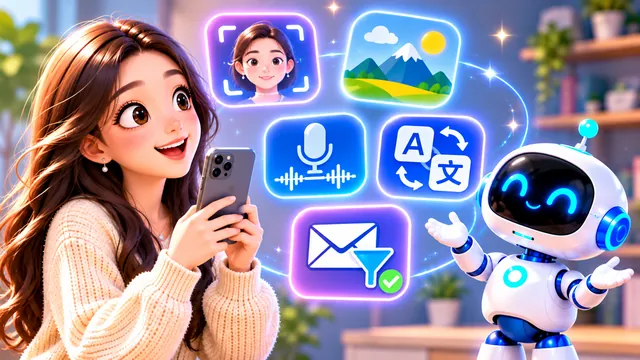
Phone cameras use AI to find faces, scenes, or better lighting. Voice-to-text, live translation, and spam filters lean on speech and language models working in the background.
These jobs share a theme: help machines see, hear, sort huge piles of data, find patterns, and act—recommend, block, or transcribe—without a long conversation with you.
So “AI in life” is not only creative chat. It is also the quiet layer that makes familiar buttons feel smart.
Portrait mode, scene labels, or auto-enhance are small wins you tap once; models trained on huge image sets do the heavy lifting underneath.
Hidden helpers you still benefit from
“In our lives” does not require a robot concierge. It often means results you trust without meeting the worker behind them.

ChatGPT is easy to notice—you type and it talks back. Most everyday AI is the opposite: you see the outcome (a route, a filtered inbox, a sorted photo album) while the model stays out of sight.
These tools share a pattern: AI does not have to chat or invent an essay. It can help machines look, listen, scan masses of data, spot patterns, predict what comes next, and act—recommend, block, reroute—while you get on with your day.
Episode 5 called this invisible AI: phones, cars, websites, and apps—not a single robot standing in the room. Some you feel clearly when you open a chat; far more hide like backstage crew—you only see the final scene.
When someone asks, “Is AI in my life yet?” you can point to both: the assistant on the screen and the unlock, map, and filter you used before breakfast.
When a feature feels “automatic,” ask once: is this recognizing, predicting, or generating? Three words from Episode 2 still fit most daily tools.
A new layer: generative AI
Everyday AI used to mean “spot, score, suggest.” Generative tools added “make something new when asked.”

For years, much public AI meant recognize, judge, predict, recommend. Generative AI added a new band: create fresh text, images, audio, video, and code when you ask.
Meanwhile, visible AI keeps growing in robots, cars, drones, and factory gear—the path from hidden servers to chat companions to machines in space.
You now live in a world where both kinds run at once: Netflix may recommend while you draft an essay with a generative tool. Same day, different jobs.
AI is shifting from silent backend systems toward assistants you can talk with—and, ahead, devices that move in the real world.
Phase 1 complete — opening the toolbox
Before Phase 2, let’s line up what Episodes 1–6 already gave you.
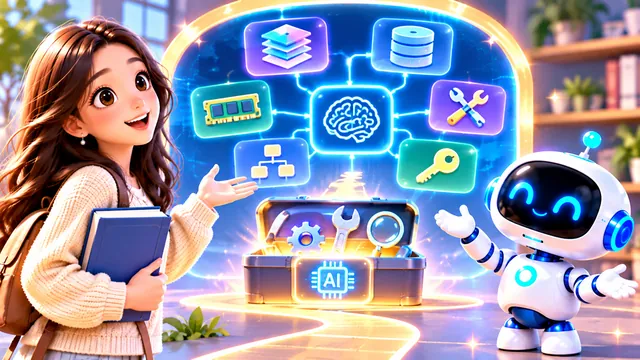
One, AI is a broad field—not one app or chatbot, but tech that tackles tasks humans usually do with intelligence. Two, traditional AI excels at recognition, judgment, prediction, and recommendation; generative AI can produce new content and plans.
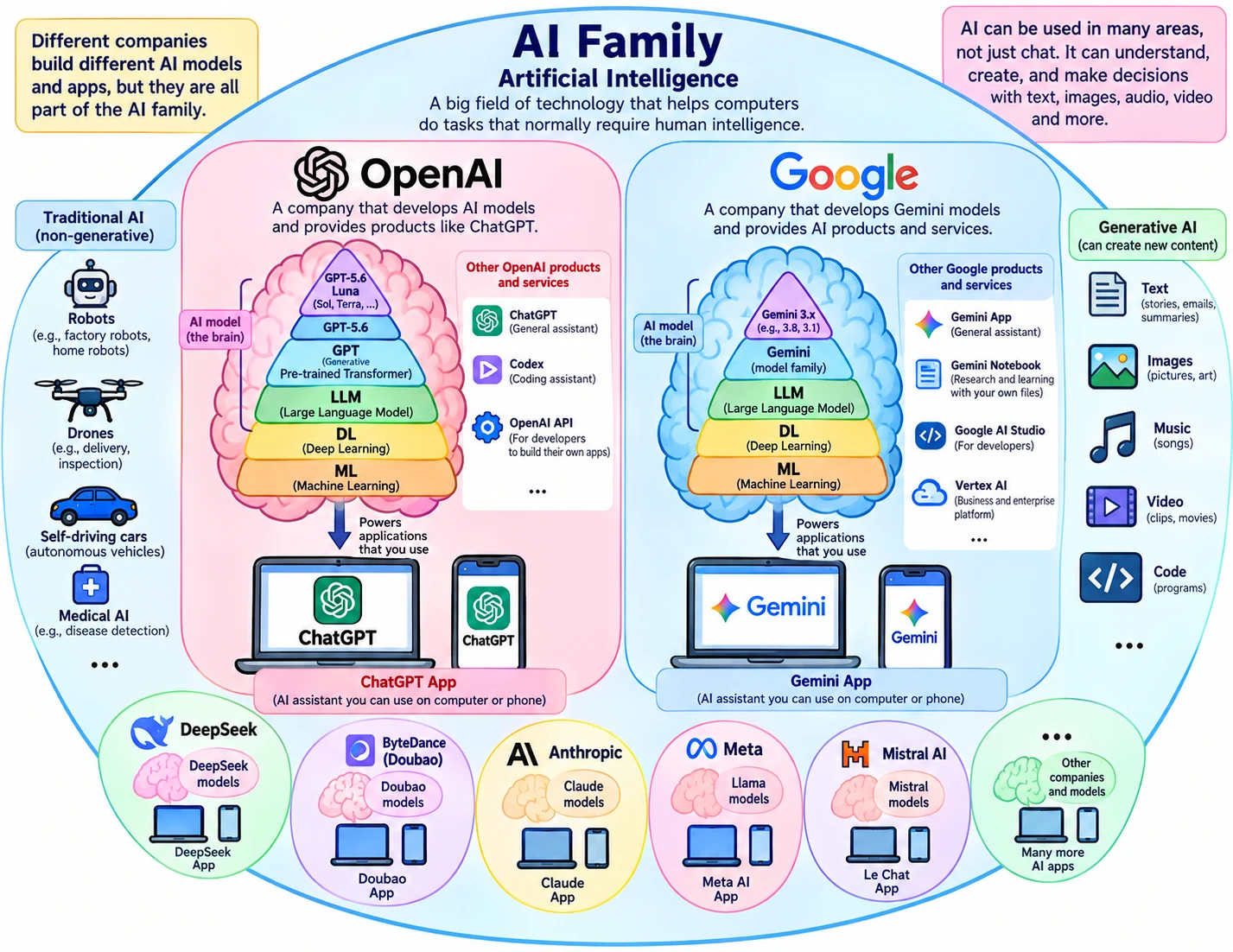
Three, you traced the path through machine learning, deep learning, large language models, GPT, and ChatGPT. Four, you met companies, models, and products—OpenAI, Google, Anthropic, DeepSeek, ByteDance, Alibaba; GPT, Gemini, Claude, 豆包, and more.
Five, AI lives invisibly on screens and visibly in machines. Six, this episode: it already shapes unlock, maps, feeds, cameras, voice, and mail—daily life, not a demo booth.
Phase 1 was the wide lens—what AI is, where it comes from, and where you meet it. Phase 2 asks what happens after you give AI a task: how it understands you, finds knowledge, holds information, uses tools, and strings steps together.
Those questions need vocabulary—prompt, context, memory, agents, and more. Episode 7 draws the map in one view; later episodes unpack each term.
AI Family
Coming up next
Episode 7 will not drill deep into any single word yet. It lays out the AI concept map—your toolbox diagram—so each later lesson has a place to land. See you there.